Booking and dispatch

Fernbrook: Enquiries turned into paid bookings, and the working day planned automatically.

Fernbrook is a booking and dispatch app for mobile repair trades: customers book and pay a deposit online, and the mechanic's day is routed in drive order.

A customer calls while Rowan is under a bike. By the time he calls back, they've booked someone else, and tomorrow's no-show still costs him the slot.

  • Online booking
  • Card deposits (Stripe test mode)
  • Route planning
  • Takings by week

Book a repair as a customer, or sign in as Rowan, the mechanic.

Book a repair as a customerRun Rowan's day →

A customer books a repair and pays the deposit

Live demo on invented data; it resets every hour.
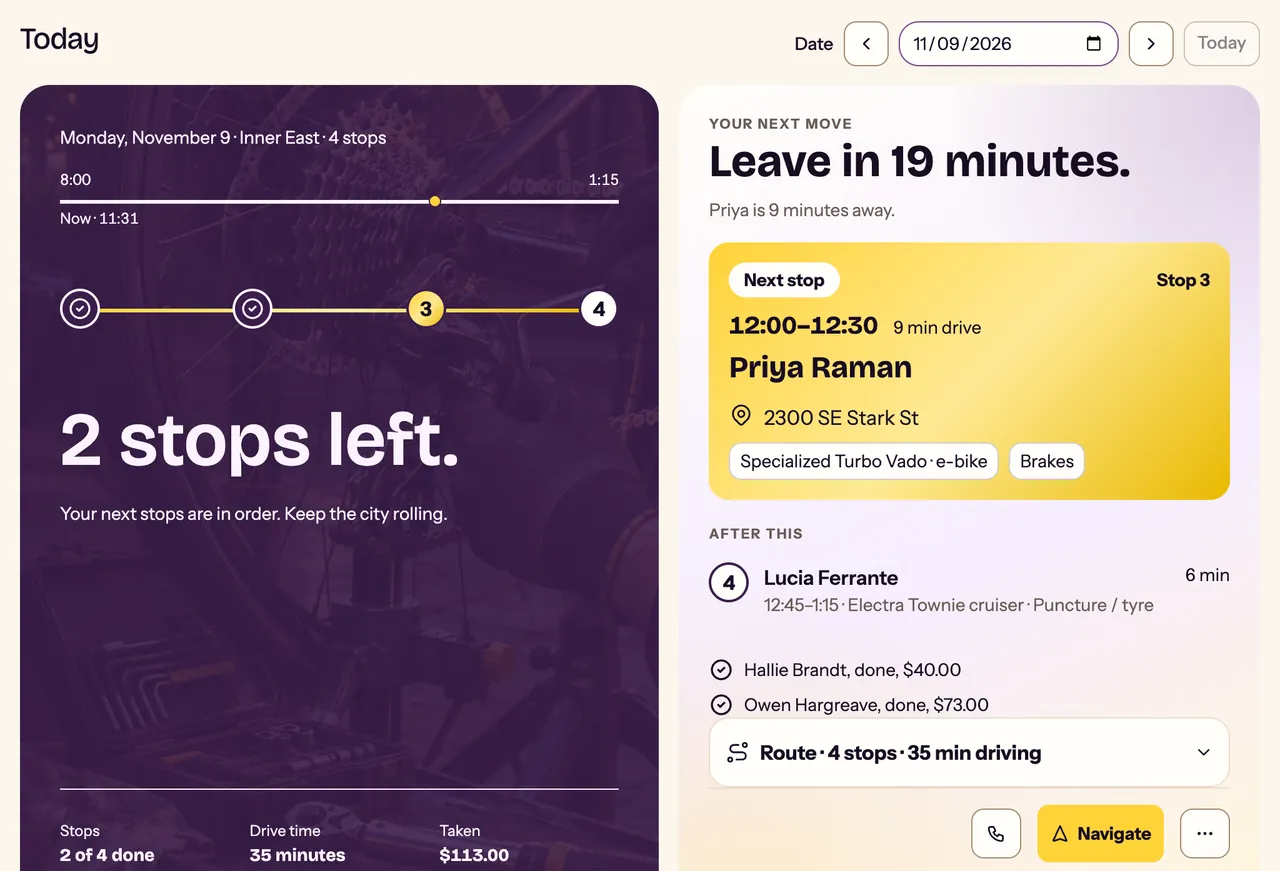
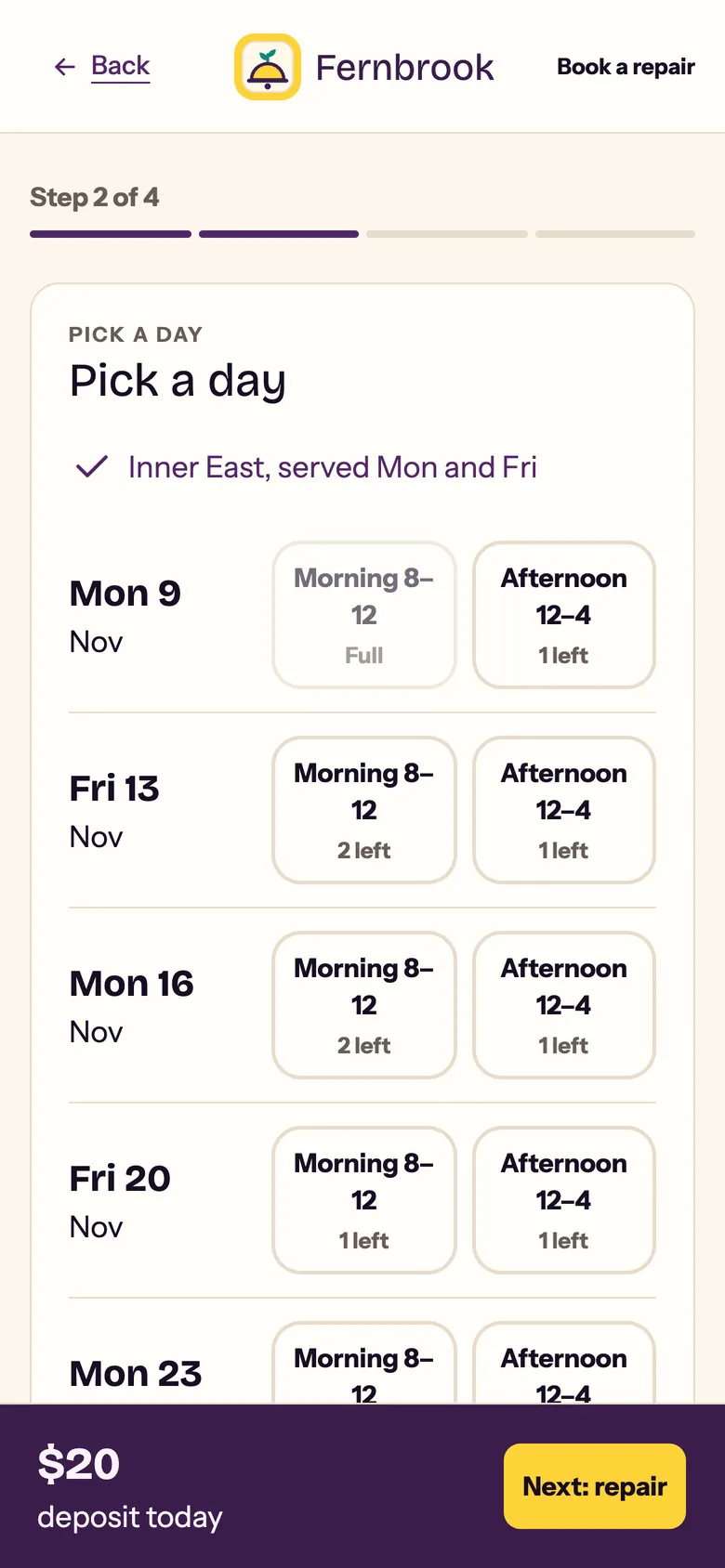
Rowan's Today on a laptop: the round so far, the next stop and when to leaveThe customer's phone, picking a day for the repair

What it takes off each person's plate

For the customer

  • No back-and-forth to book. They pick a day Rowan is in their area, say what's wrong and pay a deposit, all on their phone.

For the mechanic

  • The day plans itself. Visits come in drive order, with the next stop and when to leave.
  • Nobody slips through. The waiting list shows every request without a visit, longest waiting first, and books it onto a day's route.
  • Takings without a spreadsheet. This week's takings, and the last eight weeks by week.

Rowan spends the day repairing bikes, not phoning customers and planning routes.

See it work

Recorded on the live demo, 8 Nov 2026.

A customer books a repair and pays the deposit
What happens
  1. Alex's rear brake rubs. They book a repair at home from their phone.
  2. Alex starts typing their street address
  3. Fernbrook suggests the full address; Alex picks it
  4. Fernbrook shows the days Rowan is in Alex's area
  5. Alex says what's wrong
  6. Their contact details, so Rowan can reach them
  7. Fernbrook holds the slot while Alex pays a $20 deposit
  8. The test card: no money moves
  9. Booked: arrival window, deposit paid, the rest charged after the visit
  10. A reference to quote, and a cancel link that spells out the deposit rule
Rowan's morning: route, next stop, finish a visit, takings
What happens
  1. Rowan starts the morning: one tap into the demo
  2. Today lists the stops in drive order, next stop first
  3. After the next stop, the rest of the round in drive order
  4. Rowan opens the next stop
  5. The stop: bike, repair, and the $20 deposit already paid
  6. After the repair, Rowan marks the visit done
  7. Final price $85: the deposit comes off the balance
  8. The week's takings, by week
Rowan at the desk: the next stop, then booking a waiting customer
What happens
  1. Rowan starts the morning: one tap into the demo
  2. On a laptop, Rowan's five tabs live in a sidebar
  3. Rowan opens the next stop
  4. The stop at desktop width: Navigate goes to the street address
  5. Finishing is one clear card, text beside its button
  6. The waiting list: requests with no visit yet
  7. Callum has waited 24 days. Rowan opens his request
  8. Open days for Callum's ZIP: Rowan picks the first morning
  9. Saved: Callum is booked, and on that day's route
  10. The sidebar folds to icons when Rowan wants the room

What's real

  • Real address search and drive times with OpenRouteService.
  • Card payments in Stripe test mode. No money moves.
  • Email to the customer is real, through AgentMail.
  • Customers, bikes and money are invented, reset every hour.

Want this for your business? Start with a 30‑minute call.

A video call with me, Jeff Taylor: we walk through how a normal week runs, and I tell you plainly whether an audit would pay for itself.

Book a free 30-minute callBack to the work →